🎬 Create your first AI video — 10 studio-grade models, one platform •10 models · settings-based credit pricing
For ecommerce sellers & small creative teams
One product photo.
One promo shot.
Turn a 9:16 photo into one five-second promotional shot. Add your offer, captions and music later in your own editor.
See the original photo and three actual outputs ↓Animate your product photo
One source image. Three real generations.
We ran each motion once on October 11, 2026 using the same AI-created mock product photo. These are actual image-to-video outputs, not customer work. P-Video · 5 seconds · 720p requested (704 × 1280 delivered) · no audio · 1 customer credit per clip. A single take per preset is an example, not a reliability benchmark.
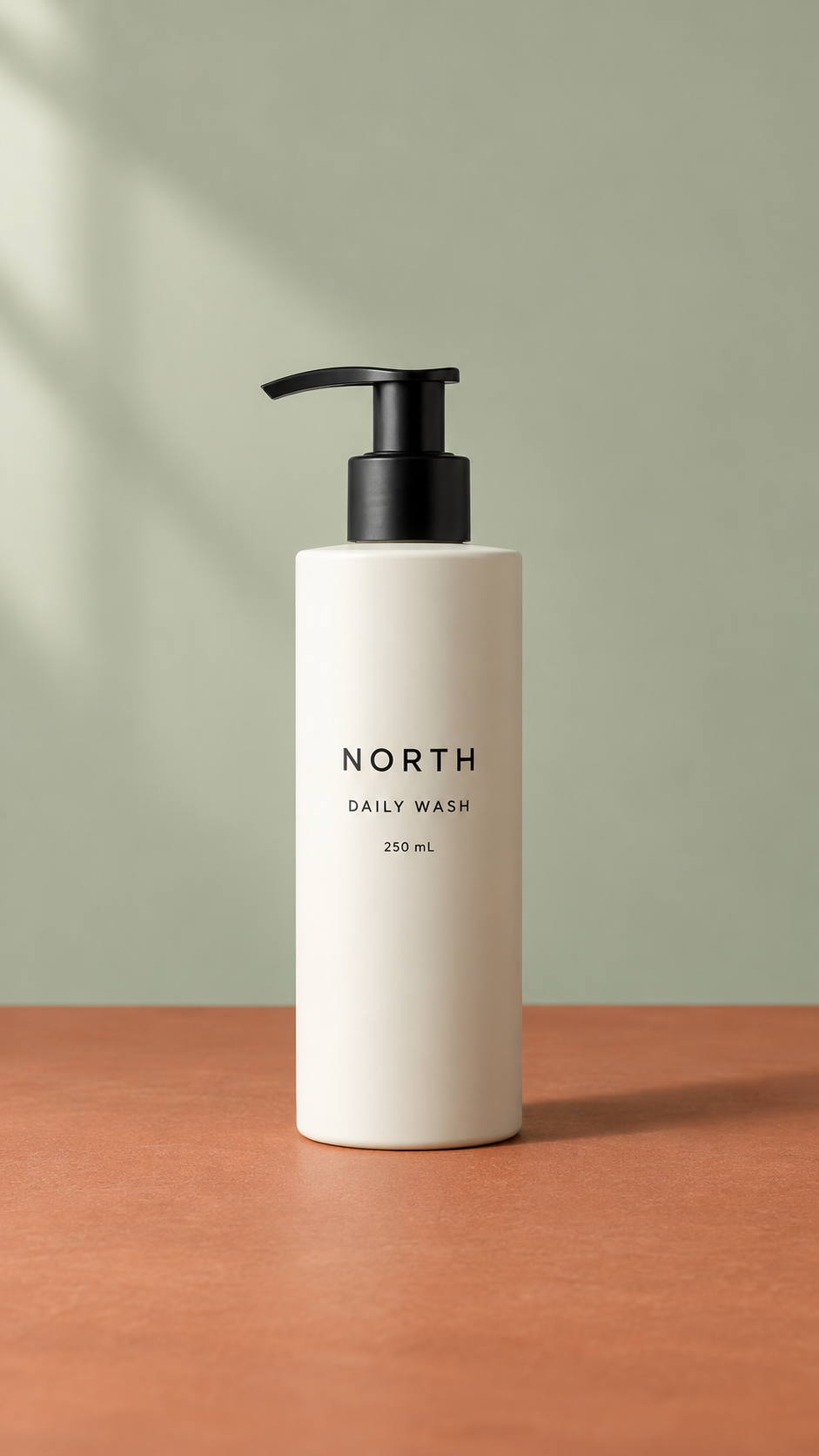
The move becomes a close-up and crops the pump out near the end. Main label text remains recognizable in sampled frames.
Download original clipA restrained sideways move, with the complete bottle staying in frame. Fine label text still needs inspection at full size.
Download original clipCamera stays mostly fixed, but the lighting and shadow change substantially. Avoid this take when consistent product color is essential.
Download original clipCompare the label lettering, pump silhouette, bottle edges and shadow with the source. Inspect your own product carefully before publishing any generated result.
Try your own product photo →Start with a photo that tells the truth
Use a clear portrait image with the complete product in frame and space around its edges. A simple background and even lighting make the subject easier to follow. Upload a photo you own or have permission to use.
For vertical output, prepare a 9:16 source image. The generator follows the source image shape, so this workflow accepts 9:16 photos. Crop or pad other photos in your image editor before uploading. Keep important packaging and labels away from the edge.
Small movements, useful clips
A slow push-in can draw attention to a product detail. A gentle slide adds movement to a still composition. A steady hero shot asks the camera to stay still while the background moves subtly.
The presets are starting instructions, and the model may interpret them differently. Review one output before buying more variations. A full rotation would require inventing unseen sides, so these presets keep the original view.
Use the clip in your existing workflow
Download your clip for a product social post or add it to your video editor as B-roll. Add captions, music, offers and your call to action in your editor. This workflow produces a short clip, rather than an assembled advertisement.
Save the photo and settings as a named project to reuse on this browser. Your finished outputs remain available in My Videos.
Check your product before publishing
AI can change lettering, color, proportions or small details between frames. Watch the entire clip, especially labels, logos and edges. Do not use a result that misrepresents the product.
Our examples show one test per motion on one synthetic product image. They do not establish a product-fidelity score across real merchandise. A clear input and restrained movement can guide the model, but you still need to inspect the output.
Product photo animation questions
Is this a finished advertisement?
It creates a single short shot. There is no editor, stitching, masking, precise camera path or end-frame control. A prompt cannot guarantee a perfect loop or exact logo and packaging fidelity.
Do I need a subscription?
You purchase credits in packs. The form shows the charge before generation and suggests a pack that covers your clip. Review credit packs and prices.
Will it generate all three motions at once?
No. Select one motion and choose Create Video. You decide whether another variation is worth generating after seeing the first result.
Can I return to the same product later?
Yes. Use Save project to keep the source photo and instructions in this browser. Saved inputs do not sync across devices and are removed if browser data is cleared. Download finished clips for your own archive.
Working with another kind of image? Open image to video, or follow the photo-animation guide with reusable prompts. For concept footage from a written scene, see product demo planning.